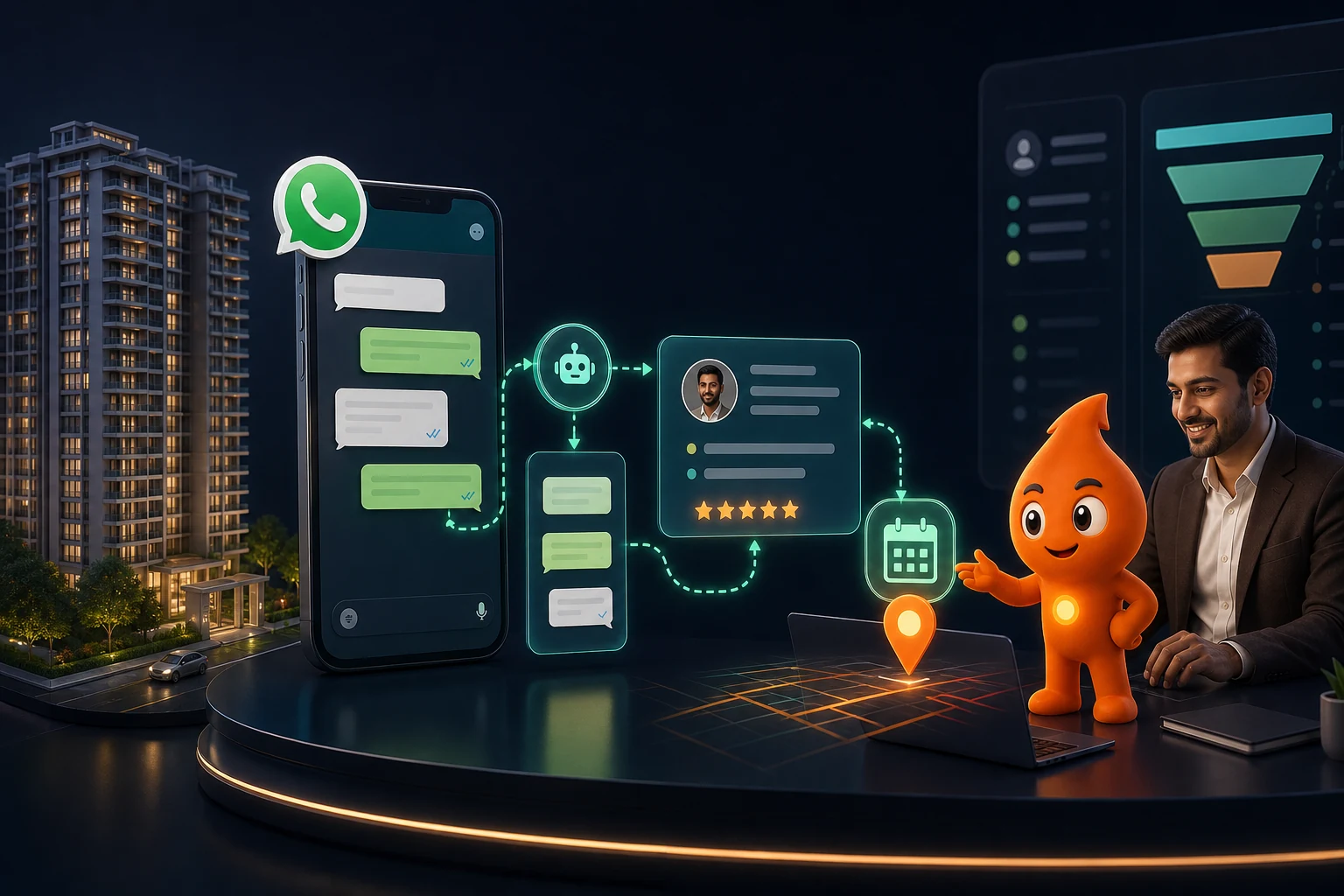
Short answer: WhatsApp automation for real estate replies to every property enquiry within a minute, asks two or three button questions (project or locality, configuration, budget, timeline), routes the buyer to the right advisor, and books, confirms and reminds the site visit, while the CRM records each step. Click-to-WhatsApp ads are the cheapest entry point because Meta makes all messages free for 72 hours when you reply within 24 hours; form and portal leads need approved templates, which cost ₹0.115 (utility) or ₹0.8631 (marketing) per message in India plus GST.
How does WhatsApp automation for real estate handle each lead source?
Real-estate enquiries reach a developer or broker through five or six doors, and the WhatsApp rules differ for each. The key question is whether the buyer messaged you first. If they did, a 24-hour customer service window is open and you can reply freely; if they did not, Meta's messaging rules allow only a pre-approved template, sent to someone who opted in.
| Lead source | Who messages first | First WhatsApp message | Context to carry into the chat |
|---|---|---|---|
| Click-to-WhatsApp ad (Meta) | Buyer | Free-form reply; 72-hour free window opens if you reply within 24 hours | Ad ID and headline from the webhook referral object, so you know the project |
| Website "Chat on WhatsApp" button | Buyer | Free-form reply (normal service-message rules) | Prefilled text naming the project, plus a reference code for UTMs |
| Meta lead form / Google Ads lead form | You | Template, only if the form carried a WhatsApp opt-in | Form answers (configuration, budget) pushed to the CRM |
| Portals (99acres, MagicBricks, Housing.com) | You | Template; check the portal's consent wording names your business | Listing ID and locality from the lead email or portal integration |
| Hoarding, brochure or site-board QR code | Buyer | Free-form reply | A distinct prefilled message per QR, such as "SITEBOARD-150" |
| Walk-in or broker referral | You | Template, after capturing opt-in on the visitor slip or tablet | Referrer name for commission tracking |
Meta's pricing documentation says the 72-hour free entry point applies when someone messages you from a Click-to-WhatsApp ad or Facebook Page button on the Android or iOS app and you reply within 24 hours; during that window "you can send any message type at no charge". For a project launch, that alone can make Click-to-WhatsApp the default ad format.
What does a real-estate WhatsApp automation flow look like?
This is the sequence we use for real estate lead automation in India, whether the enquiry comes from an ad, the website or a portal. The timings are the targets we set with sales teams, not platform rules.
- 0 to 60 seconds: acknowledge with the project name. "Thanks for asking about the 3 BHK at [project], Sector 150" beats "How can we help?". Offer the brochure and price sheet in the same message.
- Next 2 to 3 minutes: three button questions. Configuration, budget band, purchase timeline. Stop there; locality preference and loan status can come from the advisor.
- Route. By project first, then locality, language and budget band. Fallback is round-robin, never "unassigned".
- Human contact within 5 to 15 minutes in working hours. The advisor gets a CRM task with the transcript and answers, so the buyer never repeats themselves.
- Offer the site visit with two concrete slots, not "when are you free?".
- Confirm with date, time, advisor name and mobile, map pin and parking instructions.
- Remind at T-24 hours (with confirm / reschedule buttons) and T-2 hours (with the advisor's number).
- After the visit: a CRM task makes the advisor log the outcome (interested, comparing, financing, not suitable) within the same day; automation sends only what was promised, such as the floor plan or a cost sheet.
- No booking after 14 days: move to monthly nurture with new inventory, price revisions or construction updates, and stop the moment the buyer replies or opts out.
Speed matters most in the first hour; the general lead-management cadence, routing and escalation timers are in WhatsApp lead management automation.
Which qualification questions should a real-estate WhatsApp bot ask?
Use buttons rather than open text. Inside an open chat, an interactive reply-buttons message "Supports up to 3 buttons" with labels of up to 20 characters (reply buttons); approved templates allow up to 10 quick-reply buttons of 25 characters (template components). Three short, mutually exclusive options per question works best.
| Question | Buttons | Decision it drives |
|---|---|---|
| Which configuration are you looking for? | 2 BHK · 3 BHK · 4 BHK / villa | Which floor plans and price sheet to send |
| What budget range suits you? | Under ₹80 L · ₹80 L to 1.5 Cr · Above ₹1.5 Cr | Inventory match; below-range leads go to resale or another project |
| When are you planning to buy? | Within 3 months · 3 to 6 months · Just exploring | "Within 3 months" gets a senior advisor and a same-day call |
| Is this for living or investment? | Self-use · Investment | Pitch: school, commute and amenities vs rental yield and appreciation |
| Will you take a home loan? | Yes · No · Not sure | Whether to bring in the loan desk before the visit |
The budget bands above are examples for an NCR mid-segment project; set your own around actual inventory. A deeper qualification framework, including scoring, is in real-estate lead qualification: enquiry to site visit.
How do you automate site-visit booking on WhatsApp?
There are two practical patterns:
- Slot buttons (simplest). The bot reads the advisor calendar and offers two or three slots as buttons: "Sat 11 am", "Sat 4 pm", "Sun 11 am". A tap books the slot in the CRM and calendar. Works with any provider that supports interactive messages.
- WhatsApp Flows (form inside the chat). Meta's WhatsApp Flows are built for structured tasks such as lead generation, and the Flow components include a DatePicker and a CalendarPicker, plus dropdowns and radio buttons. One screen can capture project, date, time slot and number of visitors, returning the answers to your system in one payload.
Rules that cut no-shows in our implementations:
- Cap slots per advisor per hour (for example, two families per hour on a weekend) so a confirmed visit is never left waiting at the sales office.
- Send the map pin and the advisor's direct number in the confirmation, not only the office landline.
- Make the T-24h reminder ask for an action ("Reply 1 to confirm, 2 to reschedule"). An unanswered reminder is a signal for the advisor to call.
- Treat a no-show as a reschedule opportunity: one message the same evening offering two new slots, then a call.
Sample WhatsApp templates for real-estate leads
Placeholders like {{1}} are template variables; the category in brackets is how Meta is likely to classify the wording. Under Meta's template category guidelines, a utility message must be non-promotional and tied to something the user did or asked for; anything with an offer or a push to buy is marketing. Under RERA Section 11(2), every advertisement must show the project's registration number and the Authority's website (RERA Act text), so include both in marketing templates; see our RERA advertising checklist.
1. Form-lead acknowledgement (utility)
Hi {{1}}, thanks for your enquiry about {{2}}. Your advisor {{3}} will call you from {{4}} shortly. To share the right floor plans, which configuration are you considering?
Buttons: 2 BHK / 3 BHK / 4 BHK. Use only for people who submitted a form with WhatsApp opt-in.
2. Brochure and price sheet (utility)
Hi {{1}}, as requested, here is the brochure and current price sheet for {{2}}. RERA No. {{3}}, details at {{4}}. Reply here with any question about layouts or payment plans.
Header: PDF document. If you add “limited-period offer” wording it becomes marketing.
3. Site-visit offer (marketing)
Hi {{1}}, would you like to see {{2}} in person? Our sample flat is open this weekend. Pick a slot and {{3}} will meet you at the site office. RERA No. {{4}}.
Buttons: Sat morning / Sat evening / Sun morning / Not now.
4. Visit confirmation (utility)
Your site visit to {{1}} is confirmed for {{2}} at {{3}}. Your advisor is {{4}} ({{5}}). Location: {{6}}. Reply 2 if you need to change the time.
Send immediately after booking; the map link can be a URL button.
5. T-24h reminder (utility)
Hi {{1}}, a reminder of your visit to {{2}} tomorrow at {{3}}. Will you be able to make it?
Buttons: Yes, see you / Reschedule.
6. Missed visit (utility)
Hi {{1}}, we missed you at {{2}} today. Would you like to reschedule? {{3}} can host you on {{4}} or {{5}}.
Send the same evening; keep it free of offers so it stays utility.
7. Post-visit follow-up (marketing)
Hi {{1}}, thank you for visiting {{2}}. Based on your interest in a {{3}}, here is the unit-wise cost sheet with payment plan options: {{4}}. RERA No. {{5}}.
Send only if the advisor marked the buyer as interested.
8. 30-day nurture (marketing)
Hi {{1}}, an update on {{2}}: {{3}}. Would you like the latest availability for {{4}} units? Reply STOP to opt out.
Use real news only: tower completion, price revision, new inventory.
Twenty-five more general follow-up templates, with approval tips, are in WhatsApp follow-up message templates for leads.
What does real-estate WhatsApp automation cost per month?
Meta's India rates as of October 2026 are ₹0.8631 per marketing message and ₹0.115 per utility message before 18% GST, and service replies beyond the first 1,000 a month are also billed at the utility rate (details in our WhatsApp Business API cost guide).
Worked example (assumptions stated): a project receives 600 Meta lead-form leads a month. Each gets the acknowledgement and brochure (2 utility), three nurture or visit-offer messages if they do not book (3 marketing), and 150 buyers book visits, each receiving confirmation and two reminders (3 utility).
| Line | Messages | Rate | Cost |
|---|---|---|---|
| Acknowledgement + brochure | 1,200 | ₹0.115 | ₹138.00 |
| Nurture and visit offers | 1,800 | ₹0.8631 | ₹1,553.58 |
| Visit confirmation + reminders | 450 | ₹0.115 | ₹51.75 |
| Meta fees before GST | ₹1,743.33 |
That is about ₹2.91 per lead, or ₹11.62 per booked visit, before GST and your provider's plan. Against what a property lead costs from ads or portals, messaging is rarely the expensive part; unanswered leads are. If the same 600 enquiries came from Click-to-WhatsApp ads and you replied within 24 hours, most of these messages would fall inside the free 72-hour window.
Which metrics show real-estate WhatsApp automation is working?
| Metric | How to calculate | If it is weak, check |
|---|---|---|
| Median first response | First outbound time minus lead created time | Webhook delays, night-time enquiries, template approval status |
| Qualification completion | Leads answering all 3 questions ÷ leads acknowledged | Too many questions, unclear buttons |
| Visit booking rate | Visits booked ÷ qualified leads | Slot choice, advisor call speed, price clarity |
| Visit completion rate | Visits attended ÷ visits booked | Reminder timing, location instructions |
| Cost per completed visit | Ad spend + messaging ÷ visits attended | Targeting and lead quality by source |
| Visit-to-booking rate | Unit bookings ÷ visits attended | Inventory fit, pricing, advisor follow-up |
| Opt-out and block rate per template | STOP replies and 131050 errors ÷ sends | Frequency and relevance of marketing messages |
Quality at the top of the funnel decides most of this. In our ILeadGuru engagement, buyer leads converted to deals at 30%, and Defantasia saw 40% lead conversion, in both cases because qualifying context was captured before the first sales conversation.
What are the common mistakes in real-estate WhatsApp automation?
- Sending one generic brochure to every enquiry. Fix: map each ad, form and QR code to a project and configuration, and send the matching PDF.
- Broadcasting to a purchased or old "investor list". The WhatsApp Business Messaging Policy requires opt-in confirming that the person wants messages from you. Unsolicited sends drive blocks, which lower template quality and can pause templates.
- Letting the bot negotiate. Price, discounts and unit allocation stay with a human; the policy also requires a clear escalation path from automation to a person.
- Sequences that ignore the CRM. A "still interested?" message after the buyer has visited and paid a token is embarrassing. Every stage change must stop the sequence.
- Dropping the RERA number from marketing templates because of character limits. The body allows 1,024 characters; there is room.
- Measuring cost per lead only. Report cost per completed site visit and per booking by source.
If you want this built end to end, with ads, CRM and WhatsApp working as one system, see our real-estate lead generation services.
Sources
- Meta for Developers: WhatsApp pricing: 72-hour free entry point window for Click-to-WhatsApp ads.
- Meta for Developers: Send messages: customer service window and template requirement.
- Meta for Developers: Template category guidelines: utility vs marketing.
- Meta for Developers: Template components: 1,024-character body, quick-reply button limits.
- Meta for Developers: Interactive reply buttons: up to 3 buttons, 20-character labels.
- Meta for Developers: WhatsApp Flows and Flow components: lead-generation flows, DatePicker, CalendarPicker.
- WhatsApp Business Messaging Policy (updated 23 September 2026): opt-in and human escalation.
- RERA Act, 2016 (HARERA): Section 11(2) registration number and website in advertisements.